DX9 Hooking Demo – Overlay Experiment
This project is a low-level graphics experiment in C++ with DirectX9. The goal was to practice hooking and runtime rendering overlays. The base app renders a blue triangle, and by injecting a DLL, a smaller green triangle is drawn on top.
For this demo I prepared a small C++ application with DirectX9 that initializes a graphics device
(IDirect3DDevice9) and draws a blue triangle on screen.
This program works as our “test game”.
Then I created a DLL (overlay_dll.dll).
When injected into the process, the DLL obtains the virtual table of the DirectX9 device and hooks the
EndScene function.
Hooking EndScene is key because DirectX executes it once per frame, so anything we put there is
drawn on top of the original scene, creating the overlay.
The test application loads the DLL using LoadLibrary and calls InitOverlay,
passing the pointer to IDirect3DDevice9.
In that function, I install the hook with MinHook and redirect EndScene to my own function.
Inside hkEndScene, I first draw my own elements (for example, a green triangle or some text), and
then call the original implementation so the game’s scene is preserved.
This demonstrates the basic technique behind a game overlay: DLL injection, graphics API hooking, and rendering custom elements on top of the engine’s final output.
Full source code is available on GitHub.
Key Technical Features:
- Direct3D9 initialization and render loop.
- Device hooking and DLL injection.
- Overlay rendering independent of the main app.
- Debug logging with
OutputDebugString.
Project Media
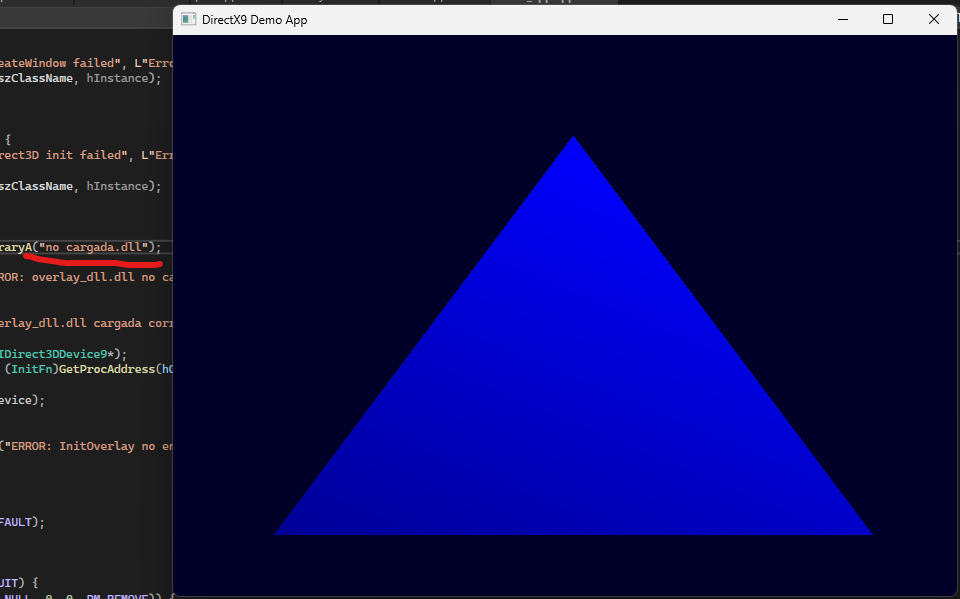
Base App – Blue Triangle
Rendering a simple blue triangle using Direct3D9.
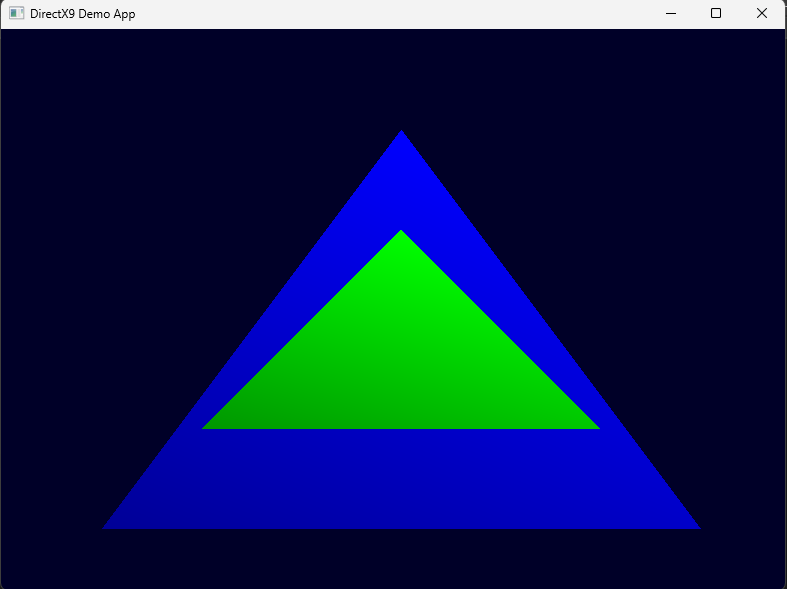
With DLL – Green Triangle
DLL injection overlays a smaller green triangle.
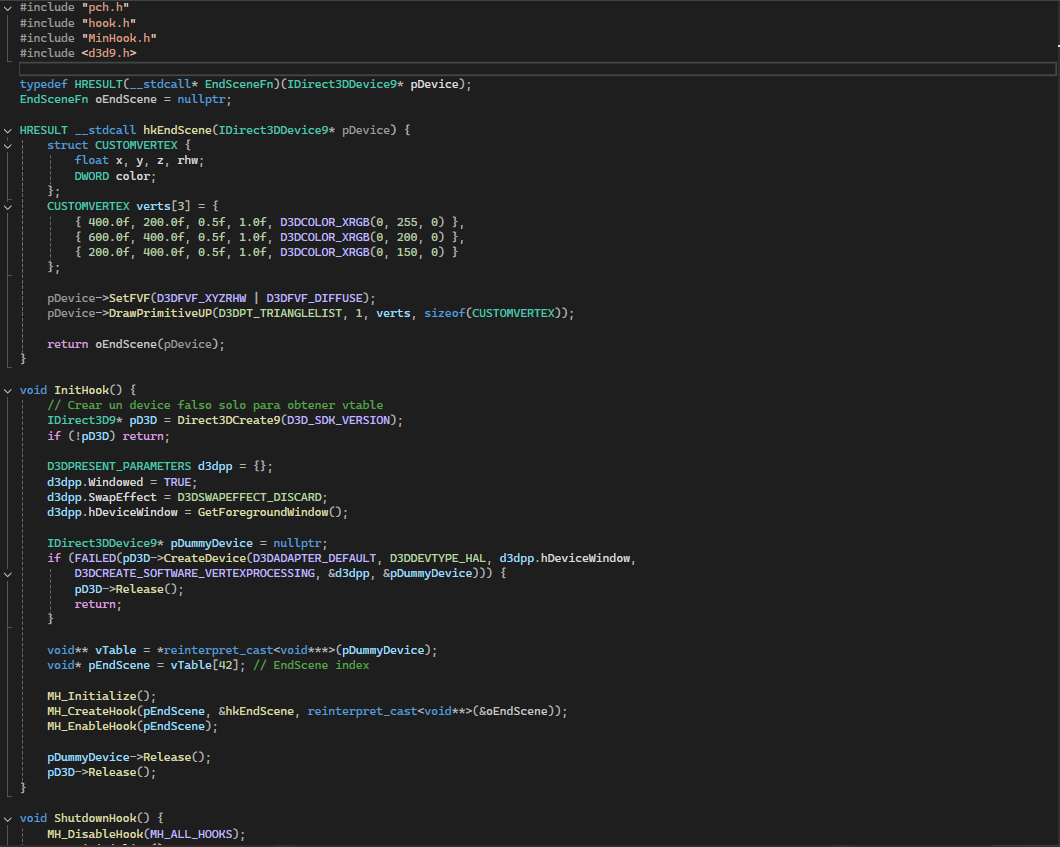
Code Snippet
Part of the DirectX9 render loop and DLL initialization.
What I Learned:
- How to manage graphics devices in DirectX9.
- Basics of DLL injection and hooking.
- Separating logic between app and overlay library.
- Debugging and verifying runtime overlays.